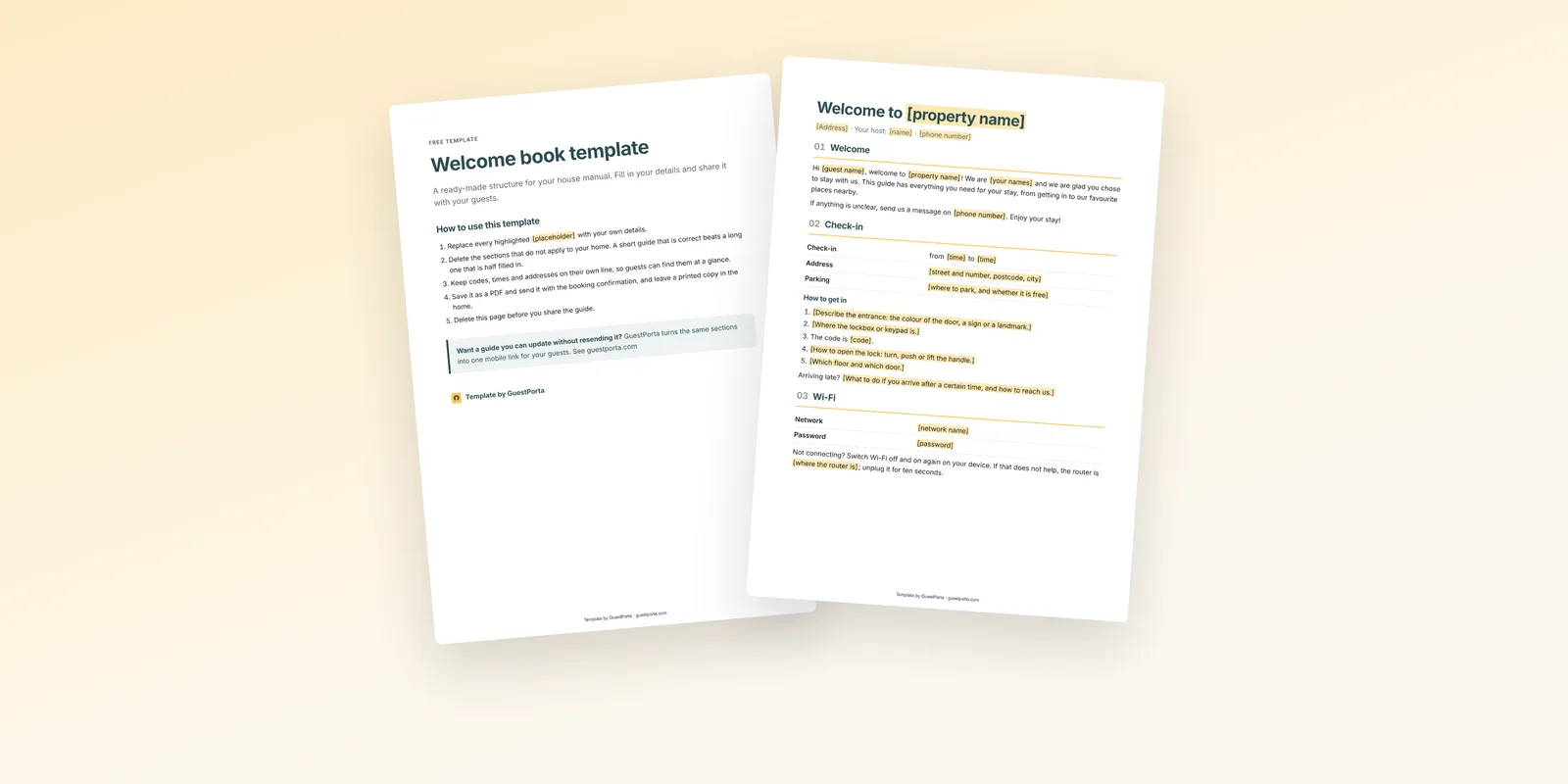
- Eight sections cover what guests ask for.
- Replace the example texts with your own wording.
- Delete what does not apply; a short guide beats a half-filled one.
Writing a welcome book from a blank page takes an evening, and most hosts end up with the same sections anyway. This free template gives you that structure ready-made, with example texts you can copy or rewrite, so you can spend your time on the details of your own home.
Get the free welcome book template
What is inside
The template follows the order of a stay, from arrival to departure:
- Welcome note: a short, personal first impression
- Check-in: times, access steps and parking
- Wi-Fi: network name and password
- House rules: quiet hours, guests, pets, smoking
- Appliances: how things work in your home
- Local tips: food, shops and sights
- Emergencies: numbers and contacts
- Check-out: time, keys and a short checklist
Every section has an example text. Keep what fits, rewrite what does not, and delete the sections that do not apply to your home.
How to fill it in
- Start with check-in. It is the section guests need first and the one that prevents the most calls. Our guide to self check-in instructions helps.
- Put every code, time and address on its own line. Guests scan; they do not read.
- Add what is unusual about your home. A boiler that needs time, a gate that sticks, a bin day that is easy to miss.
- Keep your tips personal. Three places you would genuinely recommend beat a list of twenty.
How to share it
Save it as a PDF and send it with the booking confirmation, and leave a printed copy in the home. Check it twice a year, and every time something changes, so the version guests read is still the version you meant.
When a template is not enough
A document works well until something changes: a new lockbox code, a different check-in time, a new favourite restaurant. Then every guest who received the old version has outdated information. If that happens often, a digital welcome book turns the same sections into a page you can update once for everyone.
FAQ
Is the template really free?
Yes. Leave your email on the template page and you can download it straight away.
Which formats are available?
Word and PDF. To use it in Google Docs, upload the Word file to Google Drive and open it with Google Docs.
Can I use it for Booking.com or Vrbo guests too?
Yes. The template covers what every guest needs, whichever platform they booked through.
The GuestPorta team builds digital guest pages for hosts and property managers, and writes about guest communication for short-term rentals.